
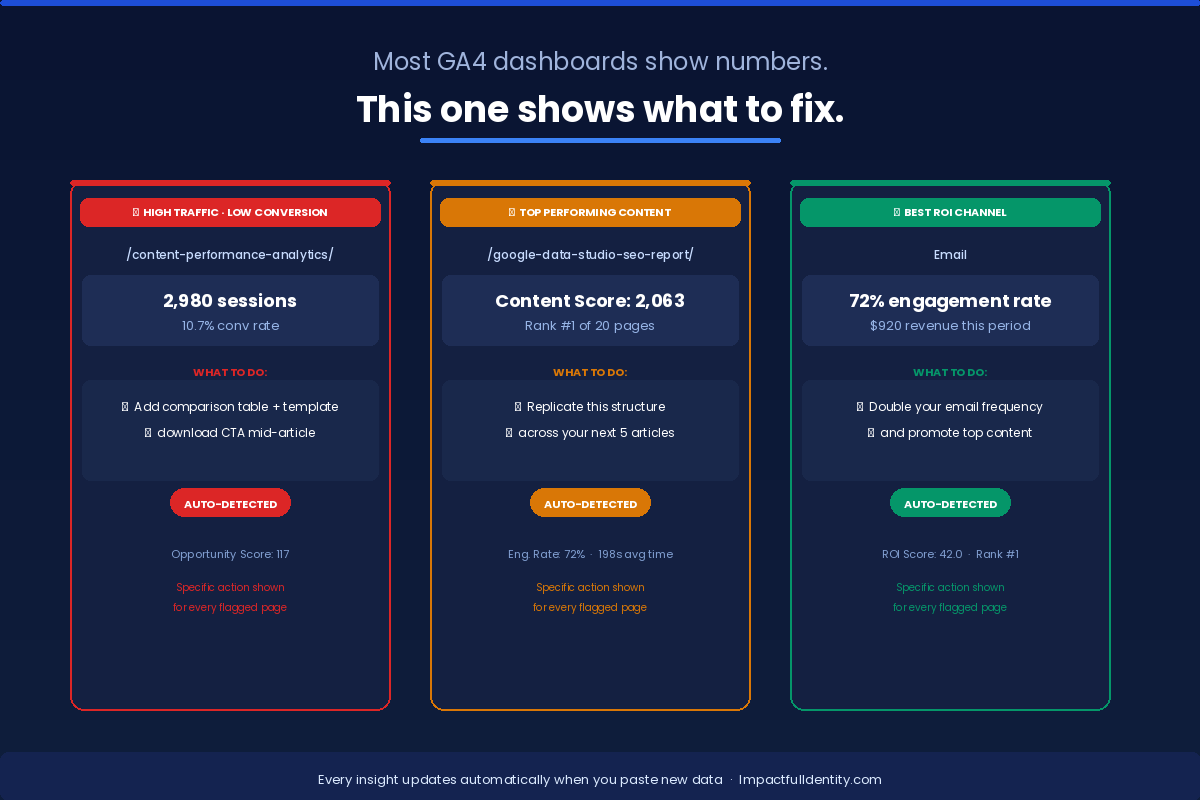
Most GA4 dashboards show numbers.
This one shows what to fix.
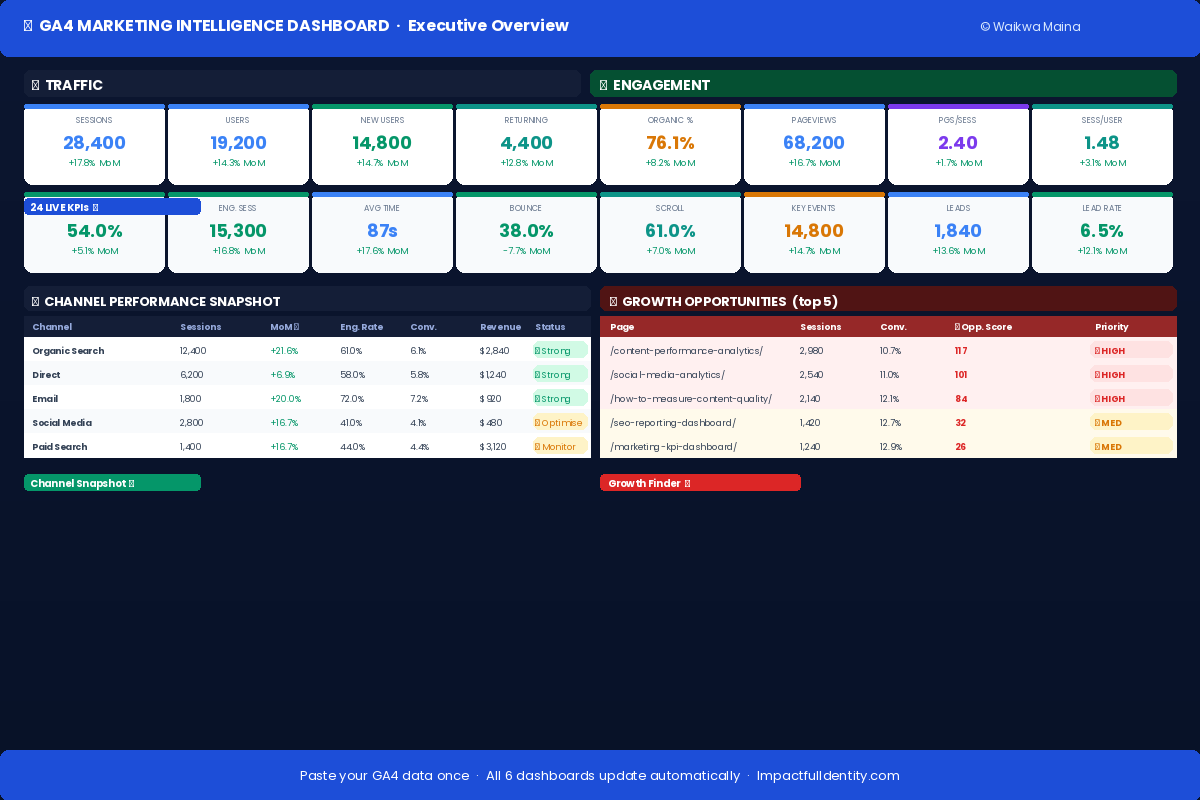
Paste your GA4 export once and instantly see content scores, conversion opportunities, channel ROI, and 24 live KPIs — no analyst needed.
Not ready to buy? Start here for free.
The GA4 Starter Template gives you the core dashboard structure so you can see exactly how it works before committing to the full version.
- Executive overview with 12 core KPIs
- Basic channel performance snapshot
- Works with your real GA4 export data
- Excel + Google Sheets compatible
- Same paste-and-go setup as the full version
No email required · Instant download · Google Sheets & Excel
The free template shows you the basics. The full $47 dashboard adds 5 more modules, content scoring, growth opportunity finder, channel ROI and 710 live formulas — all updating from one paste.
GA4 gives you data. Not answers.
You export a report, stare at rows of numbers, and still don’t know what to do next.
Without this dashboard
- ✗ Sessions and pageviews with zero context
- ✗ No benchmark — is 38% bounce good or bad?
- ✗ Top pages listed but no idea which to improve
- ✗ Channel data with no ROI comparison
- ✗ Hours spent building reports. Every week.
With this dashboard
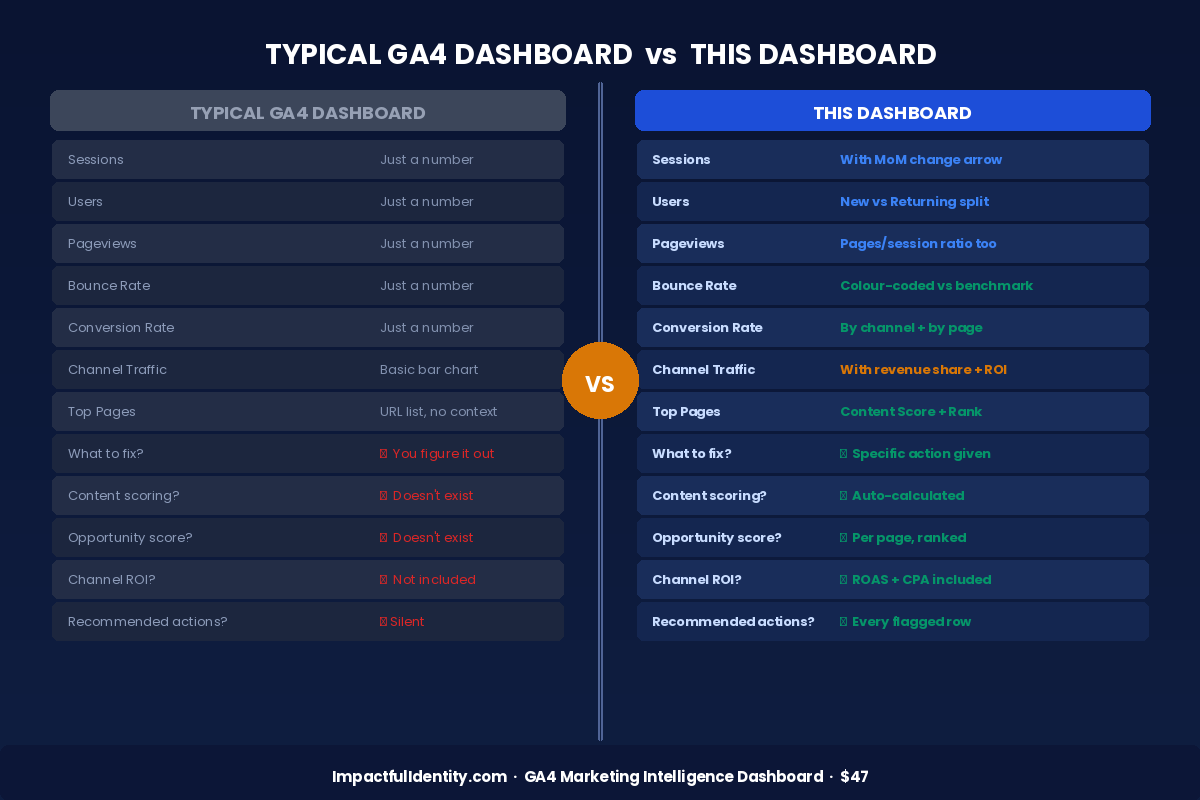
- ✓ Every metric colour-coded against benchmarks
- ✓ Specific action for every underperforming page
- ✓ Content scored and ranked automatically
- ✓ Channel ROI with ROAS and CPA built in
- ✓ Monthly review done in under 5 minutes
6 modules. 710 live formulas.
One paste to run them all.
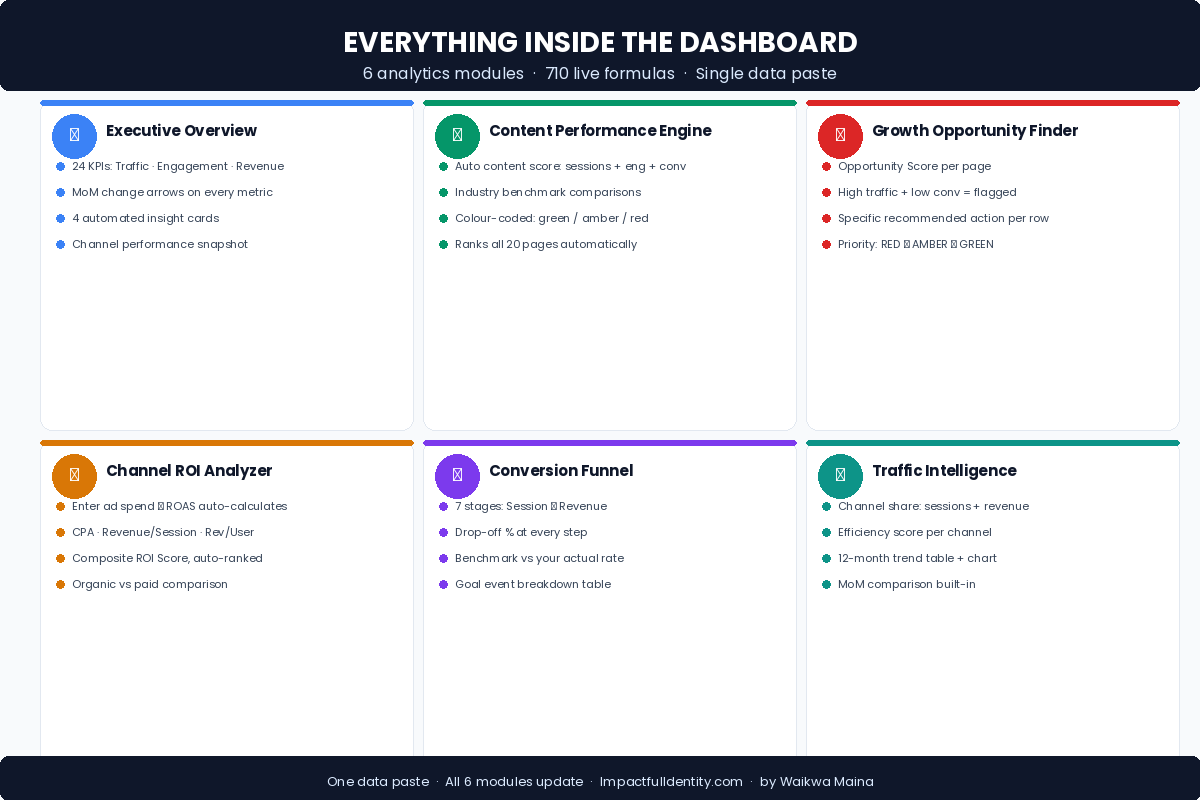
Executive Overview
24 live KPIs with month-over-month change arrows. 4 automated insight cards. Channel snapshot.
Content Performance Engine
Auto content score: sessions + engagement + conversions. Benchmarked. Ranks all 20 pages.
Growth Opportunity Finder
Opportunity score per page. High traffic + low conversion flagged with a specific action to take.
Channel ROI Analyzer
Enter ad spend and ROAS auto-calculates. CPA, Revenue/Session, composite ROI score ranked.
Conversion Funnel
7-stage funnel from session to revenue. Drop-off % at every step vs your actual benchmark rate.
Traffic Intelligence
Channel share of sessions and revenue. Efficiency score per channel. 12-month trend + MoM.
No APIs. No plugins. No analyst.
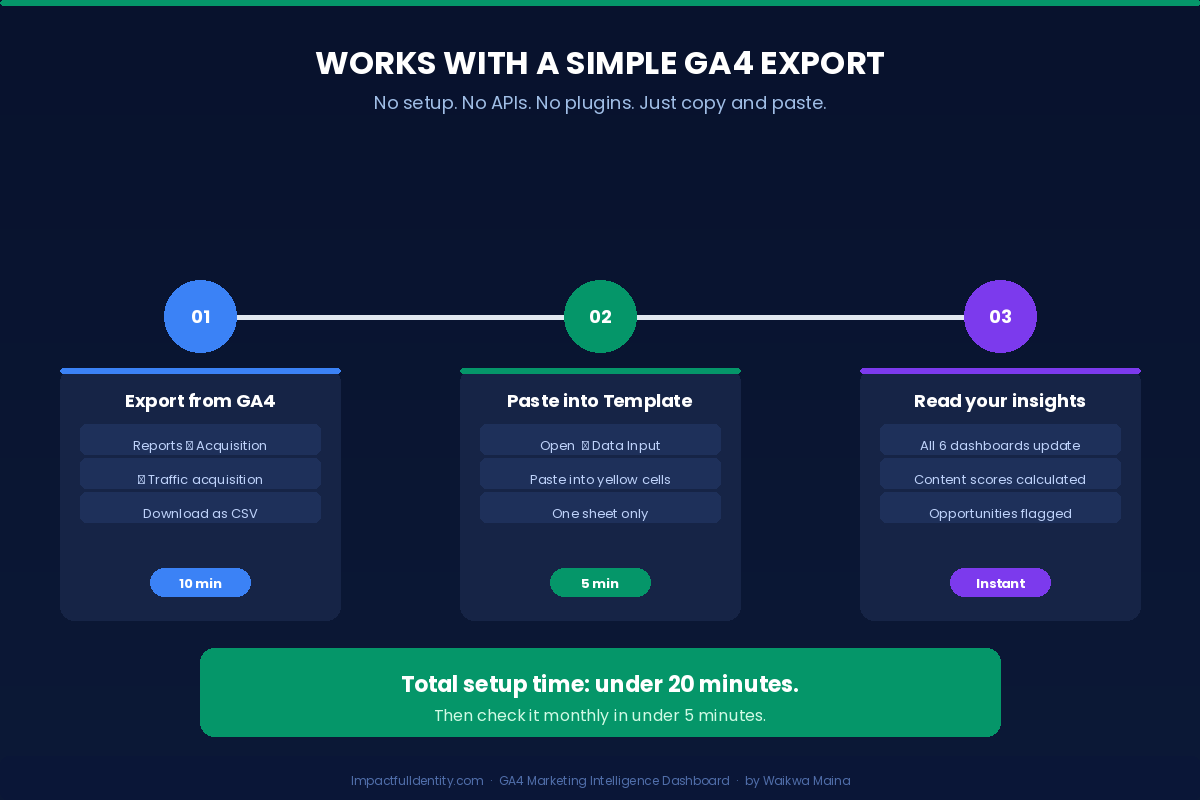
Export from GA4, paste into the yellow cells, and all 6 dashboards update instantly. Total setup: under 20 minutes.
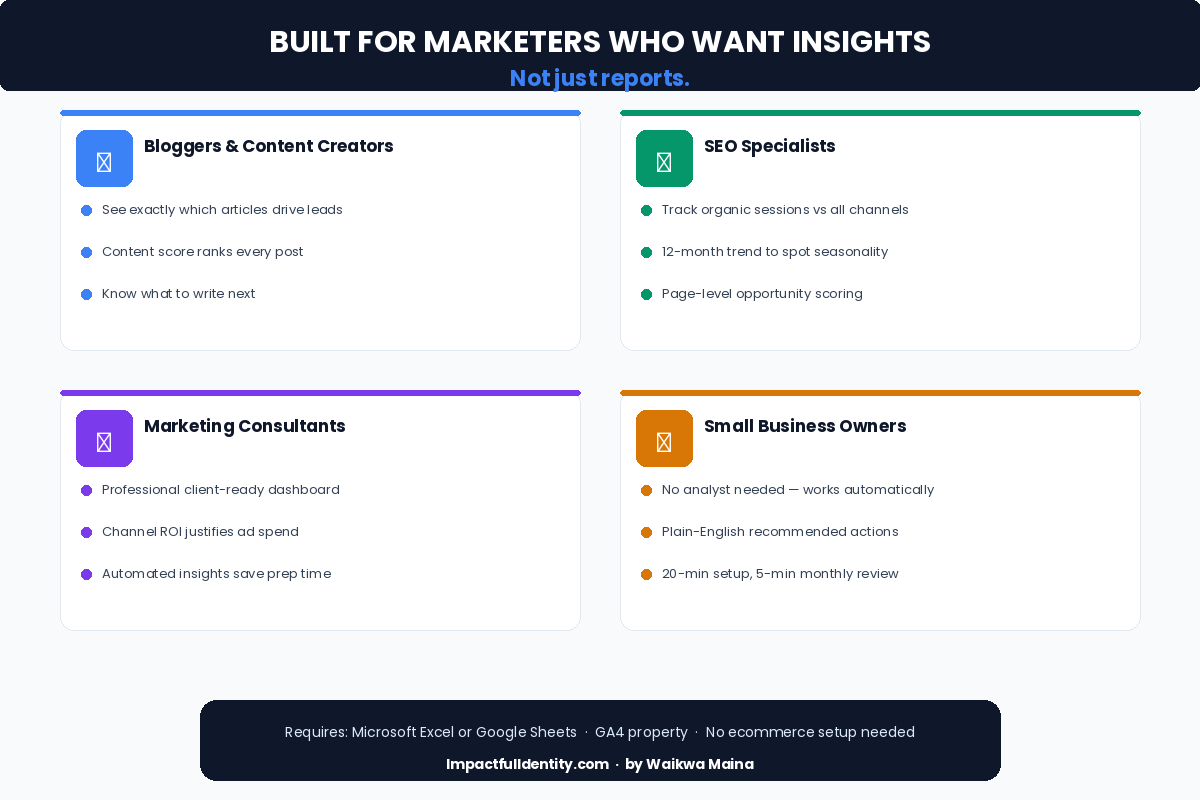
Built for marketers who want insights.
Not just reports.
Typical GA4 dashboard vs. this one.
Most dashboards are glorified exports. This one tells you what to actually do next.
Stop guessing. Start knowing
what to fix in GA4.
One payment. Instant download. Works in Excel and Google Sheets. No subscriptions, no setup calls.
Common questions
What’s the difference between free and paid?
The free starter has 12 KPIs and a basic overview. The $47 version adds 5 more modules, content scoring, growth opportunity finder, channel ROI and 710 live formulas.
Do I need technical skills?
No. Export your GA4 data, paste into the yellow cells, and everything updates. If you can use Excel, you can use this.
Does it work in Google Sheets?
Yes. Both the free and paid versions work in Excel and Google Sheets. All formulas are compatible with both.
Do I need ecommerce tracking in GA4?
No. Revenue fields are optional. The dashboard works fully without ecommerce — those columns simply stay empty.
How long does setup take?
Under 20 minutes the first time. After that, your monthly review takes less than 5 minutes — just paste new data.
Is this a subscription?
No. One payment of $47, yours forever. No recurring fees, no account required, no lock-in.